3.4. Web GIS in the Browser with shinylive
In 3.1 to 3.3 you ran your app on your own laptop. That is fine for development, but it is not how you share a dashboard with a classmate or a colleague across town. This section is about shinylive, which turns your app into static files that can be hosted anywhere, including GitHub Pages, for free, with no Python server running in the background.
Along the way we will meet WebAssembly and Pyodide, because together they are what make a serverless Python app possible. We will also see what breaks when you move from your laptop into the browser.
What you will learn
- Why a static deploy is attractive, and where it falls short.
- What Pyodide and shinylive actually do under the hood.
- How to export an app with
shinylive exportand open it from a URL. - Which Python packages come along for the ride, and which do not.
- How to swap
folium(which does not run in Pyodide) foripyleaflet(which does).
The old way and the new way
A traditional Shiny deployment needs a server running Python. Every time a user opens the dashboard, their browser sends inputs over the network, the server runs your code, and the results come back as HTML. This works but it costs money, needs maintenance, and falls over if enough users show up at once.
shinylive flips the model. Your Python code, the Shiny library, pandas, matplotlib, and everything else is packaged up and sent to the user’s browser as a bundle. The user’s browser then runs Python locally, using an in-browser Python interpreter called Pyodide. There is no server doing the work, just a web host serving static files (HTML, JS, WASM).
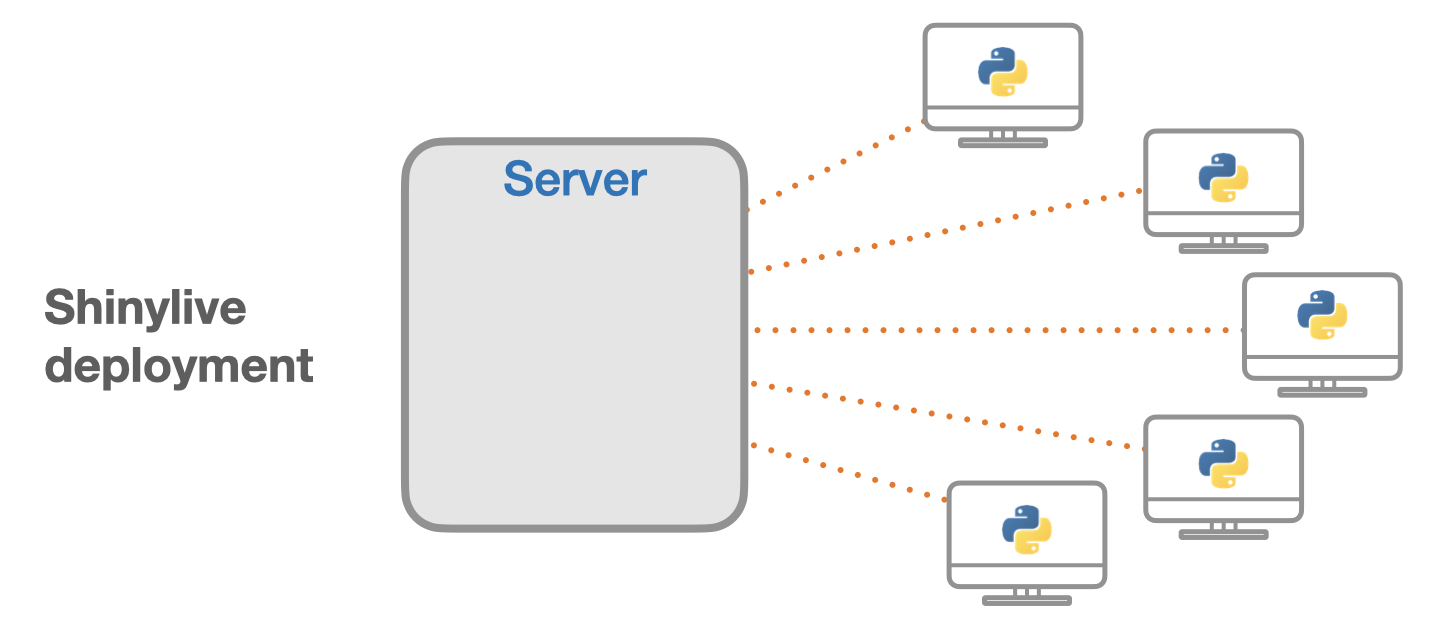
The win: you can host the whole thing on GitHub Pages, Netlify, or a university web server, for free, and it scales to any number of users (each user runs it on their own machine).
The cost: the first time a user opens the page, the browser has to download Pyodide and your packages, which is typically 15 to 50 MB. Once downloaded the browser caches it, so subsequent loads are fast.
WebAssembly (WASM) is a binary format that lets compiled languages (C, Rust, Python via Pyodide) run in the browser at near-native speed. It was designed to solve the problem that JavaScript is the only thing browsers natively execute. Pyodide is CPython compiled to WASM. You do not need to understand the internals to use shinylive, but the word comes up often enough that it is worth knowing.
When shinylive makes sense, and when it does not
Good fits: teaching demos, portfolio dashboards, small to medium datasets (under ~50 MB), exploratory tools, anything you want to share by URL with no sign-up.
Bad fits: private data (the code and data are sent to every user, so nothing stays secret), heavy computation, apps that need to talk to a database, apps relying on packages that are not in Pyodide.
Exporting your first app to shinylive
Take any app.py from earlier in this chapter. From the same folder run:
uv pip install shinylive
shinylive export . site
The command builds a folder called site/ containing index.html and a pile of supporting files. Open site/index.html in your browser and the app should run. No Python server involved.
To host it publicly, push the site/ folder to a branch of a GitHub repository and enable GitHub Pages. Within a minute you have a URL you can share.
shinylive export is for publishing. Keep using shiny run --reload app.py while you develop; it is faster and gives better error messages. Only export when you are ready to share.
What packages work in Pyodide?
Pyodide ships with a fixed list of packages. Common ones that do work include pandas, numpy, matplotlib, scipy, scikit-learn, geopandas, shapely, pyproj, and (crucially for us) ipyleaflet.
Common ones that do not work include folium, r5py (needs Java), anything depending on system binaries not compiled for WASM, and packages that open arbitrary network sockets.
The official list is at shiny.posit.co/py/get-started/shinylive.html#installed-packages. Check it before you commit to a package.
The folium problem, and the ipyleaflet fix
Folium is lovely on the desktop. It is what you probably used for webmaps in Part 2. But as of early 2026 it is not available in Pyodide, which means a folium-based app will not run under shinylive.
The replacement is ipyleaflet. It is a different package but it speaks the same Leaflet.js underneath, so the output looks very similar. Here is the smallest possible ipyleaflet app that runs in shinylive:
from shiny import App, ui, render, reactive
from shinywidgets import output_widget, render_widget
from ipyleaflet import Map, Marker

# Key sites in central Auckland
sites = {
    "Sky Tower": (-36.8485, 174.7624),
    "University of Auckland": (-36.8523, 174.7691),
    "Viaduct Harbour": (-36.8420, 174.7590),
}

app_ui = ui.page_fluid(
    ui.h3("Auckland: pick a landmark"),
    ui.input_select("site", "Site", choices=list(sites.keys())),
    output_widget("map"),
)

def server(input, output, session):

    @render_widget
    def map():
        lat, lon = sites[input.site()]
        m = Map(center=(lat, lon), zoom=15)
        m.add_layer(Marker(location=(lat, lon), title=input.site()))
        return m

app = App(app_ui, server)
Three things to notice:
shinywidgetsis a helper package that lets Shiny render Jupyter widgets (ipyleaflet is one).- The output placeholder is
output_widget, notoutput_plot. - The render decorator is
@render_widget.
Everything else (inputs, reactivity, the App object) is identical to the apps in 3.1 to 3.3.
Choosing a file format for web maps
Shinylive can read any file format you bundle with the app, but file size matters because everything is downloaded to the user’s browser. As a rough guide:
| Format | Size | Browser friendly? | When to use |
|---|---|---|---|
| Shapefile | Moderate | No | Never, for the web |
| GeoJSON | Large (text) | Yes (native JS) | Small datasets (< 5 MB) |
| GeoPackage | Small | Yes, via GeoPandas | Medium datasets |
| FlatGeobuf | Small, streamable | Yes | Large datasets you want to stream |
For this course, GeoJSON for anything under about 5 MB and GeoPackage above that will cover nearly every case.
GeoJSON is text, which means you can read it in any editor, track it in Git diffs, and ship it to browsers with no special library. The downside is that text parsing is slow and uses a lot of memory, so it stops being a good idea once you cross a few megabytes.
What you have learned
- shinylive lets you deploy a Shiny app as static files that run Python in the user’s browser via Pyodide.
- Trade-off: free hosting and infinite scale, at the cost of a first-load download and no secrets.
shinylive export .builds asite/folder you can host on GitHub Pages.foliumdoes not work in Pyodide; useipyleafletwithshinywidgetsinstead.- Keep data under 5 MB in GeoJSON, or move to GeoPackage/FlatGeobuf for larger sets.
Exercises
- Export the app from 3.1 with
shinylive export. Open the generatedindex.htmlin your browser. Does it still work? - Rewrite the
mapexample above so the user can add a marker by picking from a multi-select of landmarks (ui.input_checkbox_group), instead of just one at a time. - Pick a GeoJSON of Auckland local boards (or use
gpd.read_fileon any small file you have). Read it once at module level, add it as a layer to the ipyleaflet map, and check that it still works aftershinylive export. - Try to install a package that is not in Pyodide (for instance
folium) and export the app. What happens? How does shinylive report the problem?